

Buying a laptop as a student is weirdly stressful. You’re not just picking a “computer”—you’re choosing the device you’ll carry to class, use for assignments, run for late-night research, and depend on during exam season. And in 2026, laptops come with even more choices: lightweight ultrabooks, budget Chromebooks, powerful “creator” machines, and a new wave of AI-focused laptops.
This guide is a simple, real-life breakdown of how to choose the best laptops for students—based on what actually matters day to day: battery life, comfort, speed, durability, and value.
Quick takeaway: what most students should buy in 2026
If you want the most practical “default” choice, aim for a laptop that’s:
- Lightweight (easy to carry daily)
- All-day battery (so you’re not hunting for outlets)
- 16GB RAM if possible (for smooth multitasking over the next few years)
- 512GB SSD if budget allows (less storage stress later)
- A comfortable keyboard + decent trackpad (you’ll use them more than you think)
And if you’re leaning toward ChromeOS, consider a Chromebook Plus-class device, because Google set clearer baseline requirements there (like 8GB RAM and 128GB storage). 1
Why “best laptops for students” is not one perfect laptop
Two students can have totally different laptop needs:
- A literature student might live in Google Docs, PDFs, and Zoom calls.
- A computer science student might run coding tools, Docker, and local databases.
- A design student might need a color-accurate display and a stronger GPU.
- A nursing student might need maximum reliability + specific exam software compatibility.
So instead of pushing one “best laptop,” this guide helps you pick the right laptop for your workload, your budget, and your next 3–4 years.
Step 1: Choose the right operating system (Windows, macOS, or ChromeOS)
Windows: best for compatibility (and most degrees)
Windows laptops give you the widest app support—especially useful if your course uses specific Windows-only tools. Also, in 2026, Windows laptops may come labeled as Copilot+ PCs (more on that later). 2
Choose Windows if you:
- Want maximum software compatibility
- Are in STEM, business, engineering, or general university use
- Prefer lots of hardware choices at every budget
macOS: great for battery life + long-term smoothness
MacBooks are popular with students because they tend to be quiet, fast, and consistent. Apple also refreshed the MacBook Air with M5 in March 2026, leaning into performance and portability. 3
Choose macOS if you:
- Want a “just works” laptop for years
- Value battery life and a great trackpad/keyboard feel
- Use iPhone/iPad and like ecosystem perks
ChromeOS (Chromebooks): best for budget + simple school life
Chromebooks are excellent for web-first student life: Google Docs, Classroom-style workflows, browsing, streaming, and light productivity.
A helpful shortcut in 2026 is aiming for Chromebook Plus, since Google’s Chromebook Plus eligibility guidance highlights stronger baseline specs like 8GB RAM and 128GB storage. 1
Choose ChromeOS if you:
- Mostly work in a browser (Docs, Sheets, web portals, LMS)
- Want lower cost + low maintenance
- Don’t need heavy pro apps like full Adobe workflows
Step 2: Pick the right size (don’t ignore portability)
Laptop size sounds like a small decision—until you’re carrying it every day.
The sweet spot for most students: 13–14 inch
- Easy to carry
- Fits small desks
- Still comfortable for writing and research
15–16 inch: best if you multitask heavily
If you keep multiple windows open (notes + slides + browser + assignments), a bigger screen can feel like a productivity upgrade.
Weight matters more than you think
A laptop that’s “a little heavy” becomes “why did I do this to myself” by mid-semester. If you commute or walk campus a lot, prioritize lighter builds.
Step 3: The specs that actually matter (in plain English)
Let’s cut through the spec soup.
CPU (Processor): don’t overbuy—buy “comfortable”
For general student work (Office/Docs, browsing, Zoom), you don’t need the most expensive chip. What you want is a modern CPU that stays smooth under everyday multitasking.
If you’re in engineering, coding-heavy courses, or creative work, you’ll benefit from a higher-tier CPU—but the biggest day-to-day bottleneck for most students is usually RAM, not raw CPU speed.
RAM: the #1 spec for a smooth student laptop
In real student life, RAM is what keeps your laptop from choking when you have:
- 20–40 browser tabs
- Spotify playing
- A Zoom/Meet call
- A document + PDFs open
- Messaging apps running
Simple rule:
- 8GB RAM: okay for light use (especially Chromebooks)
- 16GB RAM: the best “stress-free” choice for 2026 (and more future-proof)
Windows 11 itself has a minimum of 4GB RAM, but that’s a bare minimum for installation—not a “pleasant student experience” target. 2
Storage: 256GB works, 512GB feels better
If you mostly live in cloud storage, 256GB can be fine. But storage fills up fast with:
- Offline files
- Photos
- Recorded lectures
- Coding projects
- Creative assets (huge)
If you can afford the jump, 512GB is a comfort upgrade.
Battery life: aim for a real school day
Review sites vary, but a practical target for productivity is around 9 hours or more so you can get through classes and study sessions without anxiety. 4
Step 4: Display and keyboard—your daily comfort features
Display: prioritize clarity over fancy buzzwords
Look for:
- Full HD (1080p) or better
- Good brightness (so it’s usable near windows / bright rooms)
- A comfortable size for reading PDFs and slides
Keyboard and trackpad: underrated, but crucial
If you type essays, code, or notes daily, a good keyboard is like good shoes. You notice it when it’s bad.
Quick tip: if possible, try the keyboard in-store for 2 minutes. It’s the fastest way to avoid regret.
Step 5: Ports and charging (avoid dongle life if you can)
Before buying, check:
- Do you need USB-A for pen drives, older mice, lab devices?
- Do you need HDMI for presentations?
- Does it charge via USB-C (super convenient on campus)?
RTINGS points out that having at least two usable ports (ideally with modern USB-C that supports charging/video/data) can make daily life much easier. 4
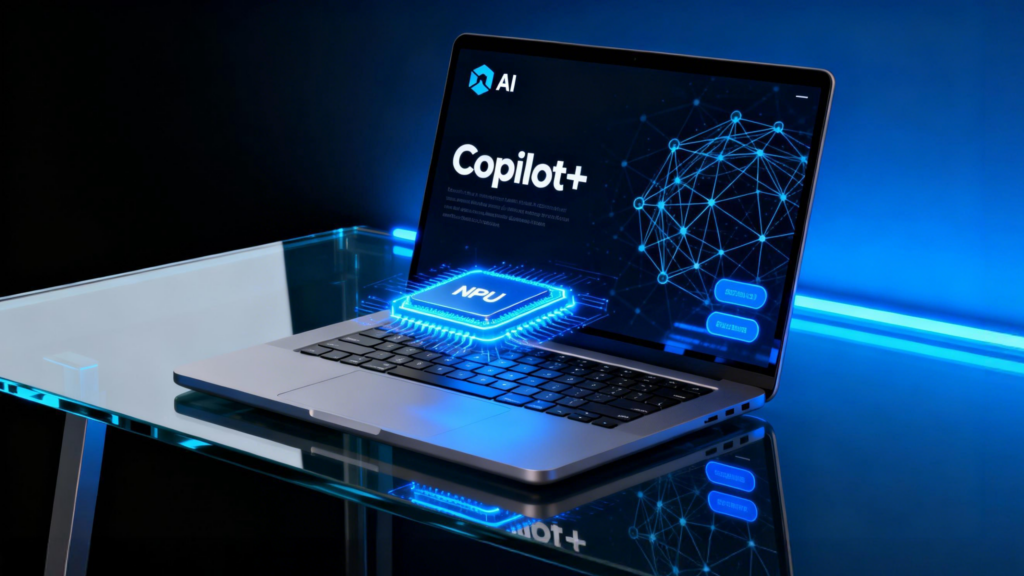
2026 trend to know: AI laptops (Copilot+ PCs) in simple terms
You’ll see “AI PC” branding everywhere, and it’s easy to get sucked into it.
What is a Copilot+ PC?
Microsoft describes Copilot+ PCs as a class of Windows 11 AI PCs with an NPU (a chip for AI tasks) capable of 40+ TOPS (trillion operations per second). 5
Minimum requirements (so you know what labels mean)
Microsoft lists Copilot+ PC minimums on its Windows 11 specs page, including:
- NPU capable of 40+ TOPS
- 16GB RAM
- 256GB storage 2
Should students care?
Care if you want:
- Newer on-device AI features
- A more “future-facing” Windows laptop purchase
But don’t let AI branding distract you from the basics: keyboard comfort, battery life, and enough RAM/storage.
Chromebook Plus: the “safe spec” shortcut for Chromebooks
If you’re going Chromebook, you’ll see many cheap models with weak specs. That’s why Chromebook Plus matters: it signals a stronger baseline.
Google’s Chromebook Plus eligibility guidance includes minimums like:
- 8GB RAM or more
- 128GB storage or more 1
For students, this often means fewer slowdowns and a better long-term experience.
Recommended specs by student type (simple guide)
General school/college (most students)
- CPU: modern midrange
- RAM: 16GB (or 8GB if budget is tight / Chromebook)
- Storage: 256–512GB SSD
- Battery: aim for all-day
Coding / CS / engineering students
- RAM: 16GB minimum (32GB if you run heavy local dev tools)
- Storage: 512GB+ helps
- Prefer strong keyboard + good cooling
Design / architecture / video students
- RAM: 16–32GB
- Storage: 1TB can be worth it
- Look for better display quality and (often) a dedicated GPU
Budget planning (without getting tricked)
Here’s a practical way to think about spending:
Budget tier (basic needs)
Great for:
- Docs, browsing, online classes, light multitasking
Best fit: - Chromebooks (ideally Chromebook Plus if possible)
Mid-range tier (best value for most students)
Great for:
- Multitasking, heavier web use, long-term ownership
Best fit: - Solid Windows ultrabooks or entry MacBooks (depending on deals)
Higher tier (specialized work)
Great for:
- Creative software, simulations, serious dev workloads
Best fit: - Creator laptops / stronger MacBook Pro class machines
Mistakes to avoid when buying a student laptop in 2026
1) Buying an older Windows laptop you can’t update properly
Microsoft notes that Windows 10 support ended on October 14, 2025—so buying an old laptop locked to Windows 10 is a bad long-term deal for security and updates. 2
2) Choosing 4GB RAM because “it meets requirements”
Yes, Windows 11 can install with 4GB RAM, but it’s not a great everyday target for students who multitask. 2
3) Ignoring battery life (and believing only marketing numbers)
Real battery life depends on brightness, apps, Wi‑Fi, and background tasks. Use reviews as a reality check—and aim for a full school day when possible. 4
4) Not checking your course software needs
Some colleges require specific tools (or proctoring software). Compatibility beats aesthetics every time.
Student laptop checklist (save this before you buy)
- OS matches your course needs (Windows/macOS/ChromeOS)
- Screen size fits your routine (13–14″ for most)
- RAM target: 16GB (8GB okay for lighter use/Chromebook)
- Storage: 256GB minimum, 512GB preferred
- Battery: aim ~9 hours+ productivity if possible 4
- Webcam/mic good enough for online classes
- Ports you need (USB-A/USB-C/HDMI)
- Solid keyboard (type on it if you can)
- Warranty/return policy is student-friendly
Conclusion: the smartest way to choose the best laptops for students
In 2026, the “best” student laptop isn’t the fanciest one—it’s the one that quietly makes your day easier. Prioritize the stuff you’ll feel every single day: a comfortable keyboard, reliable battery, enough RAM for multitasking, and an OS that fits your course requirements.
If you want a simple default plan: choose a lightweight 13–14″ laptop, target 16GB RAM when possible, don’t cheap out on storage, and avoid outdated machines that leave you stuck on unsupported software. And if you’re going Chromebook, using Chromebook Plus as a baseline is a smart shortcut to avoid underpowered models. 1
FAQs
Which laptop is best for students in 2026?
The best laptops for students in 2026 are lightweight models with strong battery life, a comfortable keyboard, and enough RAM for multitasking (ideally 16GB). For Chromebooks, Chromebook Plus devices set a safer performance baseline. 1
Is 8GB RAM enough for students?
8GB can be okay for light workloads (notes, browsing, Docs), especially on Chromebooks. But for Windows laptops and heavier multitasking, 16GB is a smoother, longer-lasting choice. 2
Should students buy a Chromebook or a Windows laptop?
Choose a Chromebook if your work is mostly browser-based and you want simplicity and value (Chromebook Plus is a good baseline). Choose Windows for broader software compatibility and more flexibility across majors. 1
Are Copilot+ PCs worth it for students?
They can be, especially if you want newer on-device AI features and longer-term “future-ready” hardware. Copilot+ PCs require an NPU capable of 40+ TOPS, plus 16GB RAM and 256GB storage. 2
What should I avoid when buying a laptop for college?
Avoid underpowered models (like 4GB RAM Windows laptops), poor battery life, and older machines stuck on unsupported operating systems. Windows 10 support ended on Oct 14, 2025, so buying a Windows 10-only laptop is risky. 2