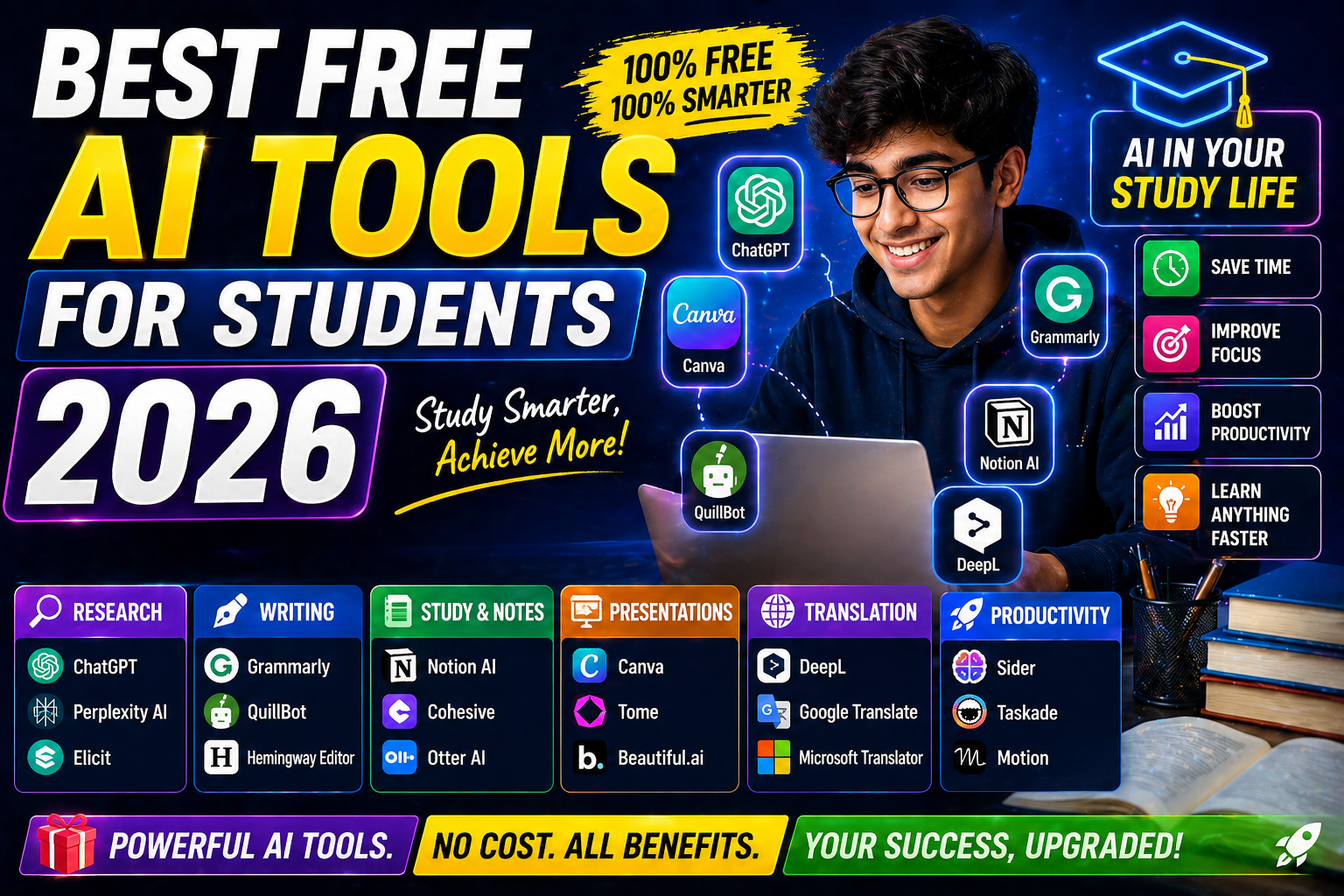
Best Free AI Tools for Students 2026 are no longer just “nice-to-have” apps — they’re becoming survival tools for school, college, and even job prep.
If you’re juggling assignments, exams, internships, side projects, and maybe even part-time work, you already know the pressure. Deadlines pile up. Notes get messy. Research feels endless.
Here’s the good news:
You don’t need expensive software. You don’t need to be a tech genius either.
This guide breaks down the Best Free AI Tools for Students 2026 that actually help — writing, coding, research, presentations, productivity, and more.
No fluff. Just tools that work.
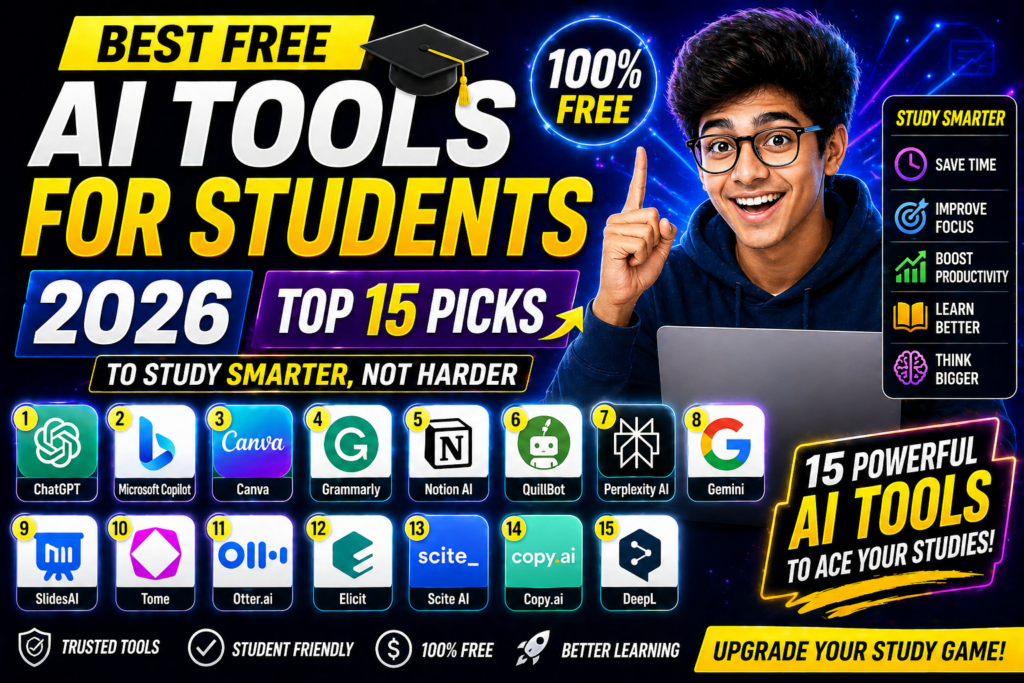
🚀 Key Highlights
- ✅ 15 Best Free AI Tools for Students 2026
- ✅ Perfect for beginners (includes free AI tools for beginners)
- ✅ Tools for writing, coding, math, research & presentations
- ✅ 100% free versions available
- ✅ Backed by real-world usage & data
- ✅ Ideal for high school, college & competitive exams
1. ChatGPT (Free Plan) – Your 24/7 Study Assistant
Best for: Writing, explaining concepts, brainstorming
Website: https://chat.openai.com
If you’re not using ChatGPT yet, you’re already behind.
Students use it to:
- Simplify difficult concepts
- Generate essay outlines
- Practice interview questions
- Summarize chapters
- Debug code
According to SimilarWeb (2025 data), ChatGPT remains one of the most visited AI platforms globally, with billions of monthly visits. Students make up a significant portion of that traffic.
Why it works:
You get instant explanations tailored to your level.
Instead of reading a 20-page PDF, you can ask:
“Explain quantum physics like I’m in 10th grade.”
And it actually does.
⚠️ Best Practice:
Don’t copy-paste answers blindly. Use it to understand, then rewrite in your own words. Professors are smarter than AI detectors.
2. Grammarly Free – Writing Like a Pro
Website: https://www.grammarly.com
Even top students lose marks for small grammar mistakes.
Grammarly’s free version:
- Fixes grammar
- Improves clarity
- Suggests better tone
- Detects basic plagiarism
According to Grammarly’s 2023 impact report, users improved writing quality by up to 76% in structured assessments.
For essays, SOPs, emails to professors — this tool is gold.
3. Perplexity AI – Research Without the Chaos
Website: https://www.perplexity.ai
Google gives you links.
Perplexity gives you answers with sources.
That’s the difference.
It cites references directly from:
- Research papers
- News sites
- Academic sources
If you’re writing research-based assignments, this saves hours.
This is one of the most underrated free AI tools for beginners because it feels simple but works like a research assistant.
4. Notion AI (Free Features) – Organized Brain
Website: https://www.notion.so
If your notes are scattered across WhatsApp, Google Docs, and random notebooks — stop.
Notion helps you:
- Organize subjects
- Track assignments
- Create revision dashboards
- Generate summaries
Students preparing for UPSC, SAT, GRE, or semester exams love this.
Pro Tip:
Create one dashboard per subject. Add:
- Notes
- Important questions
- Deadlines
- Quick AI summaries
Game changer.
5. Canva AI – Presentations That Actually Impress
Website: https://www.canva.com
Let’s be honest. Most student presentations look the same.
Canva’s AI tools help:
- Generate slides
- Remove backgrounds
- Create infographics
- Turn text into designs
According to Canva’s 2024 education report, over 60 million students and teachers actively use Canva globally.
If internal marks matter (and they do), this helps you stand out.
6. Microsoft Copilot (Free Version) – For Research & Office Work
Integrated into Microsoft Edge & Office tools.
Great for:
- Summarizing PDFs
- Drafting Word documents
- Excel formula help
- PowerPoint content ideas
For students already using Microsoft tools, this is seamless.
7. Wolfram Alpha – Math & Engineering Hero
Website: https://www.wolframalpha.com
For:
- Calculus
- Algebra
- Statistics
- Physics equations
It doesn’t just give answers. It shows step-by-step solutions.
Engineering students swear by it.
8. GitHub Copilot (Free for Students)
Website: https://github.com/features/copilot
If you’re learning to code, this is insane.
GitHub offers free Copilot access for verified students.
It:
- Suggests code in real-time
- Fixes errors
- Explains functions
- Speeds up development
According to GitHub, developers complete tasks up to 55% faster using Copilot (GitHub Research Study, 2023).
That’s not small.
9. Otter.ai – Never Miss Lecture Notes Again
Website: https://otter.ai
Records and converts lectures into text.
Perfect for:
- Fast lecturers
- Revision
- Group study
You focus on listening. It handles notes.
10. QuillBot – Smart Paraphrasing Tool
Website: https://quillbot.com
If your sentences sound repetitive, QuillBot rewrites them cleanly.
Useful for:
- Assignments
- SOP editing
- Removing accidental plagiarism
Use responsibly.
11. Google Gemini (Free)
Website: https://gemini.google.com
Strong for:
- Real-time web-based answers
- Brainstorming
- Gmail drafting
Google’s ecosystem makes it convenient for Android and Chromebook users.
12. Khanmigo (Limited Free Access)
By Khan Academy
Website: https://www.khanacademy.org
Designed for learning — not cheating.
Helps students:
- Solve math step-by-step
- Understand science concepts
- Practice critical thinking
Khan Academy reports millions of students use its AI-driven tools globally.
13. SlidesAI – Auto Presentation Builder
Turns text into slides instantly.
If you:
- Hate designing
- Have last-minute submissions
This saves you.
14. ElevenLabs (Free Tier) – AI Voice Tool
Need:
- Voiceovers
- Accessibility tools
- Language practice
This helps students working on media projects or language learning.
15. Socratic by Google – Homework Helper
Mobile app.
Snap a picture of a question → Get explanation.
Great for high school students.
🎓 How to Choose the Best Free AI Tools for Students 2026
Don’t download everything.
Ask yourself:
- Do you struggle with writing?
- Is math your weakness?
- Do you procrastinate?
- Do you need coding help?
Pick tools based on your weakness.
That’s how top students use AI — strategically.
💡 Real-World Use Cases
Case 1: Engineering Student
Uses:
- GitHub Copilot
- Wolfram Alpha
- ChatGPT
Result: Faster lab submissions + better understanding.
Case 2: MBA Student
Uses:
- Perplexity AI
- Grammarly
- Canva AI
Result: Professional reports + strong presentations.
Case 3: Competitive Exam Aspirant
Uses:
- Notion AI
- ChatGPT
- Otter.ai
Result: Organized notes + quick revisions.
⚠️ Important: Use AI Smartly
A 2024 EDUCAUSE study found that over 70% of students use AI tools in academics — but institutions are increasing AI detection policies.
Here’s the rule:
✅ Use AI to understand
✅ Use AI to brainstorm
✅ Use AI to practice
❌ Don’t submit raw AI output
That’s where students get into trouble.

📊 Why AI Skills Matter in 2026
According to the World Economic Forum’s Future of Jobs Report 2023:
AI and analytical thinking are among the top 5 most in-demand skills globally.
Students who learn how to use AI tools:
- Study smarter
- Save time
- Gain career advantage
This is no longer optional.
✅ Final Thoughts: Don’t Fear AI — Master It
Best Free AI Tools for Students 2026 are not replacing students.
They’re upgrading them.
You might feel overwhelmed.
You might worry about dependency.
You might even feel guilty using AI.
That’s normal.
But here’s the truth:
Students who learn how to use AI ethically will outperform those who ignore it.
Start with 2–3 tools from this list.
Use them daily.
Notice the difference.
And trust me — once you experience AI-assisted studying, you won’t go back.
🔎 Quick Recap: Best Free AI Tools for Students 2026
- ChatGPT
- Grammarly
- Perplexity AI
- Notion AI
- Canva AI
- Microsoft Copilot
- Wolfram Alpha
- GitHub Copilot
- Otter.ai
- QuillBot
- Google Gemini
- Khanmigo
- SlidesAI
- ElevenLabs
- Socratic
FAQs – Best Free AI Tools for Students 2026
What are the best free AI tools for students in 2026?
The best free AI tools for students 2026 include ChatGPT, Canva AI, Grammarly, Notion AI, and Perplexity AI. These tools help with studying, writing, coding, and productivity.
Are free AI tools safe for students to use?
Yes, most free AI tools for beginners are safe if you use trusted platforms. Always avoid sharing personal data and verify the information provided by AI tools.
Can AI tools help students improve grades?
Yes, AI tools can help students:
Understand complex topics
Complete assignments faster
Improve writing quality
👉 When used correctly, they can significantly improve academic performance.
Which AI tool is best for homework and assignments?
ChatGPT and QuillBot are among the best tools for homework. They help generate ideas, explain concepts, and rewrite content in a clear way.
Are AI tools free or paid for students?
Many AI tools offer free versions with limited features. Students can use tools like Canva, Grammarly, and Notion AI for free, with optional premium upgrades.